Releases · what’s new

Write into the night.

சொல்வெளி — the open field of words.

Neight is a small, calm text editor for writers and social-media authors who just want a blank page that gets out of the way. Built for Tamil and English on macOS and Windows. No accounts, no telemetry, no AI looking over your shoulder.

* Other Indian and non-English scripts paired with English should work too — only Tamil + English has been tested end-to-end.

$0
Totally free. Forever.
No tiers, no upgrades, no “Pro” version, no subscription, no ads. MIT licensed — yours to use, copy, fork, and ship inside your own work.
// Privacy at a glance
0 data collected 0 accounts to make 0 network calls 0 AI in the app 0 ads, ever
Read the privacy policy →
// neight on windows · the blank page
Neight editor on Windows with a clean, blank document.
What is Neight

A notepad built for writing. Nothing else.

Most text editors are built for coders. Most word processors feel like they were built for scientists and big offices — full of toolbars, ribbons, and settings most people never touch. Neight is for everyone in between — the blog post, the Twitter thread, the short story, the column, the lecture notes. The kind of writing that happens in plain text, in a single window, late at night.

Its Tamil name is சொல்வெளிsolveḷi — literally “the open field of words.” That’s the feeling we’re after: a wide, quiet field with nothing on it but you and what you’re trying to say.

Neight is free. Not free with an asterisk, not free-during-a-trial, not free-if-you-sign-up. It’s released under the MIT license — you can use it, share it, fork it, ship it inside your own work, no permission needed. There are no paid tiers and there is nothing to upgrade to.

Free forever Open source · MIT No sign-in No AI in the loop No network calls
How it got its name

Neight is just N·8.

It started life as a slightly clunky working title and shed letters until it sounded right.

NotepadEnhanced NotepadE N8 Neight.

The Tamil name is சொல்வெளிsolveḷi — from சொல் (word) + வெளி (open space, field, expanse). It’s the name of the writer’s mode inside the app, and the spirit of the whole thing.

// How to pronounce it

Neight
/neɪt/ — rhymes with eight.

N + eight — that’s it. Say the letter N, then say the number 8. Run them together. Neight.

Install

Two downloads. Three minutes.

Pick your platform. There is no installer wizard, no account, no setup. Just an app you double-click.

macOS
macOS 12 Monterey or later · Apple Silicon (M1/M2/M3/M4) · signed build
  1. Click the download button below — you’ll get a zip with the signed Neight.app inside. Use this build. Don’t hand-build or use unsigned copies.
  2. Double-click the zip to unpack it. macOS will leave a Neight.app next to it.
  3. Drag Neight.app into your Applications folder.
  4. Open Applications and double-click Neight. It opens normally — no right-click-open, no Gatekeeper prompt.
Why only the signed build? A well-wisher contributed an Apple Developer signature so the app installs without the usual unsigned-app warnings. Stick to that build. The macOS download is Apple Silicon only (M1, M2, M3, M4).
↓ Download signed Neight.app arm64 · ~40 MB
Windows
Windows 10 or 11 · 64-bit · single .exe, no installer needed
  1. Click the download button below to get Neight.exe. Save it anywhere — Desktop, Documents, a USB stick — whatever you prefer.
  2. Double-click Neight.exe to run it. No installer, no admin rights, no registry edits.
  3. If Windows SmartScreen pops up, click More info, then Run anyway. This is normal for small independent apps that haven’t been signed yet.
  4. Optional — right-click Neight.exe and choose Pin to taskbar or Create shortcut to keep it handy.
Open With integration. After the first launch, Neight will show up in the right-click Open With menu of .txt files in File Explorer.
↓ Download Neight.exe ~51 MB
// What’s new
Always the latest on the Releases page.
Every build, every fix, every new feature is posted as a tagged release with notes. Bookmark it — or subscribe to the GitHub repo to get notified.
View releases →
How to use

If you’ve used Notepad, you already know how.

Neight opens to a blank page. Type. Save with Ctrl + S. That’s the whole tutorial. The rest is shortcuts you discover as you need them.

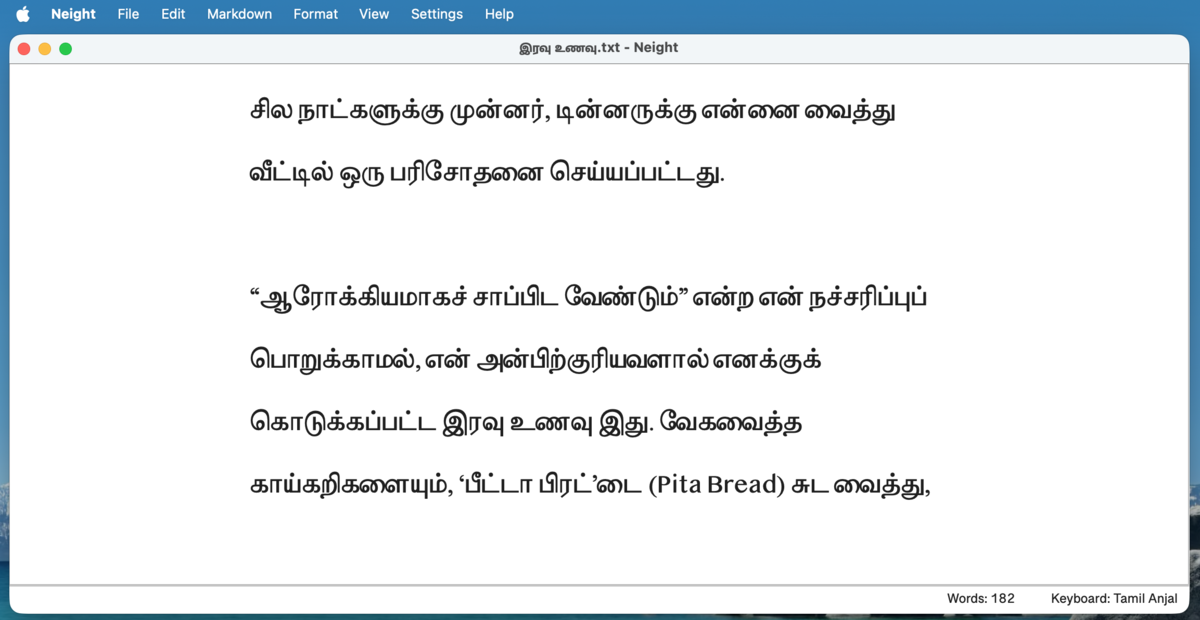
Neight Writer Mode on macOS
Writer Mode — large Tamil serif, generous spacing, minimal chrome. Made for prose.macOS
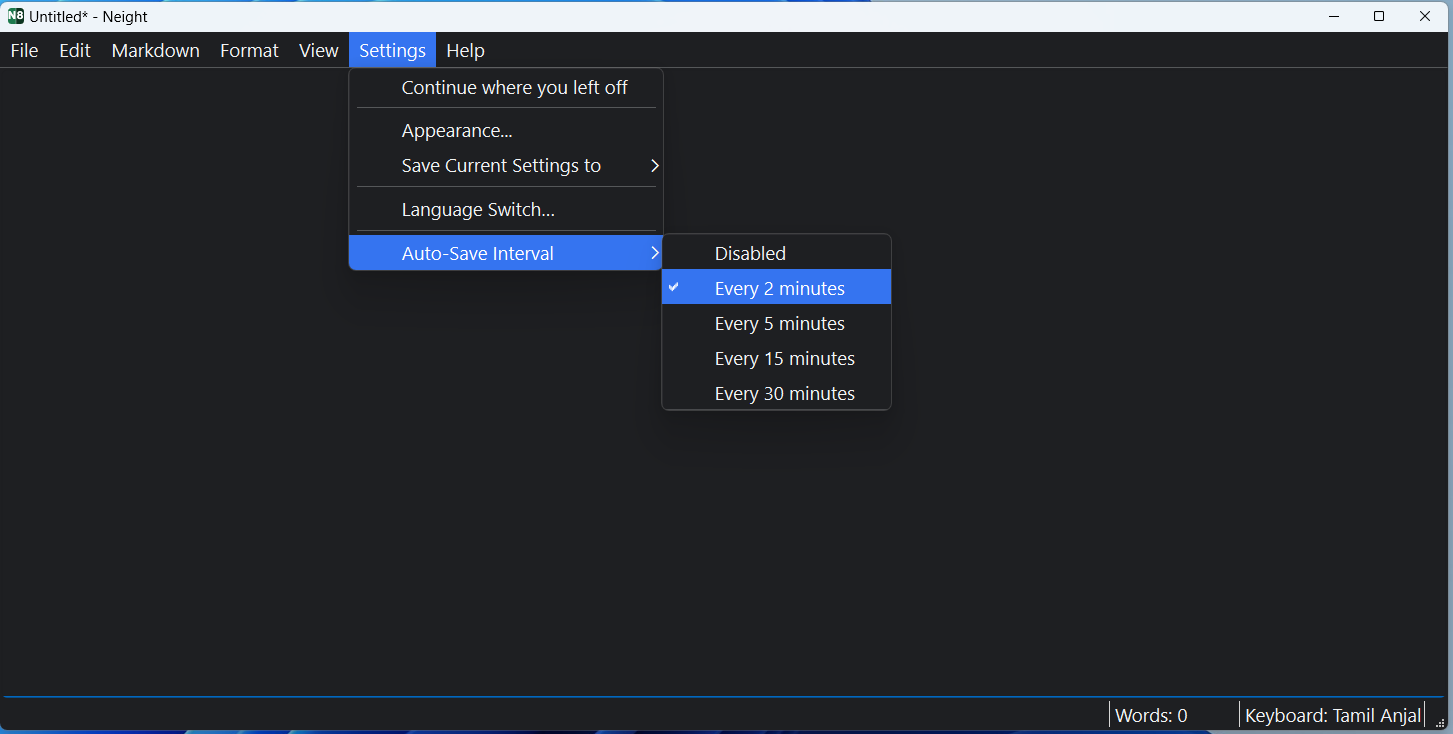
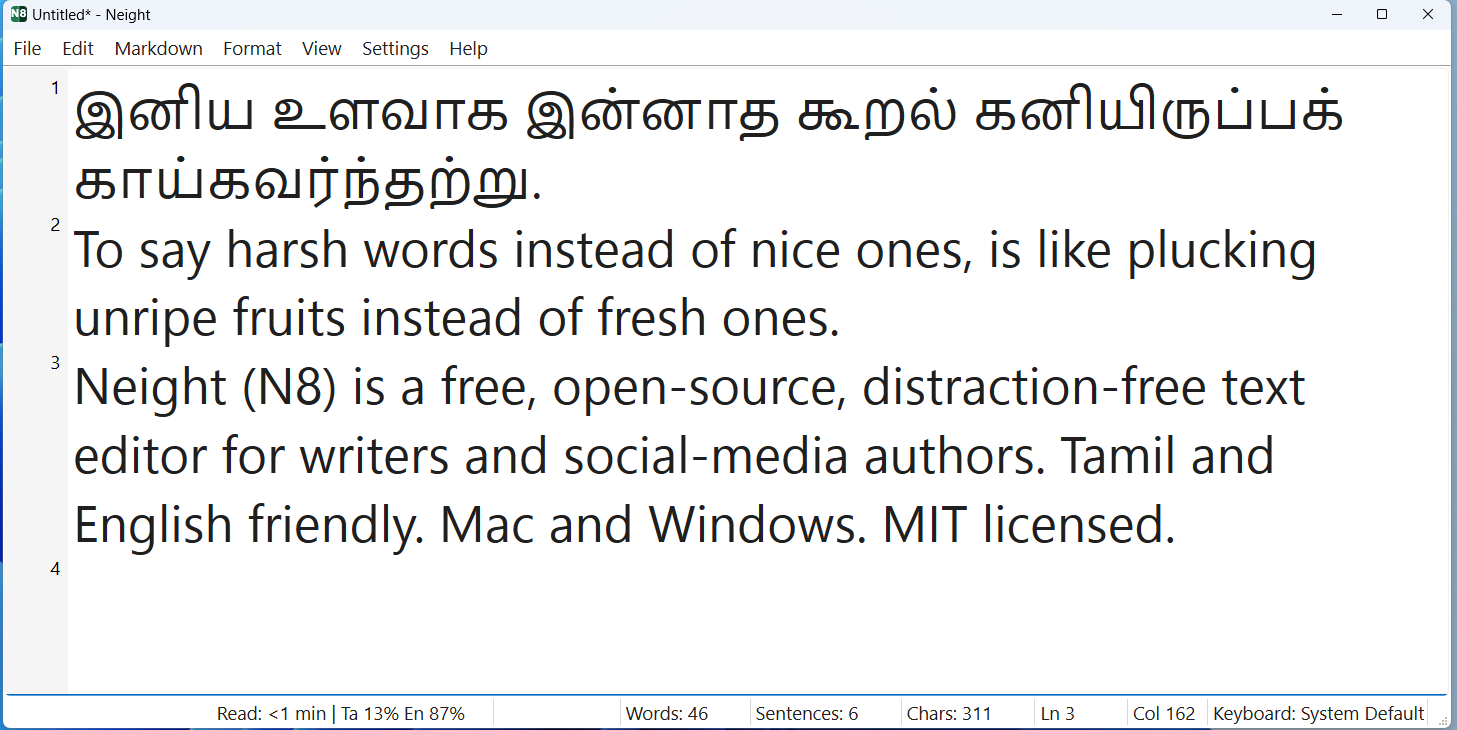
Neight editor showing Markdown content
Auto-save runs in the background — pick 2, 5, 15 or 30 minutes.Windows
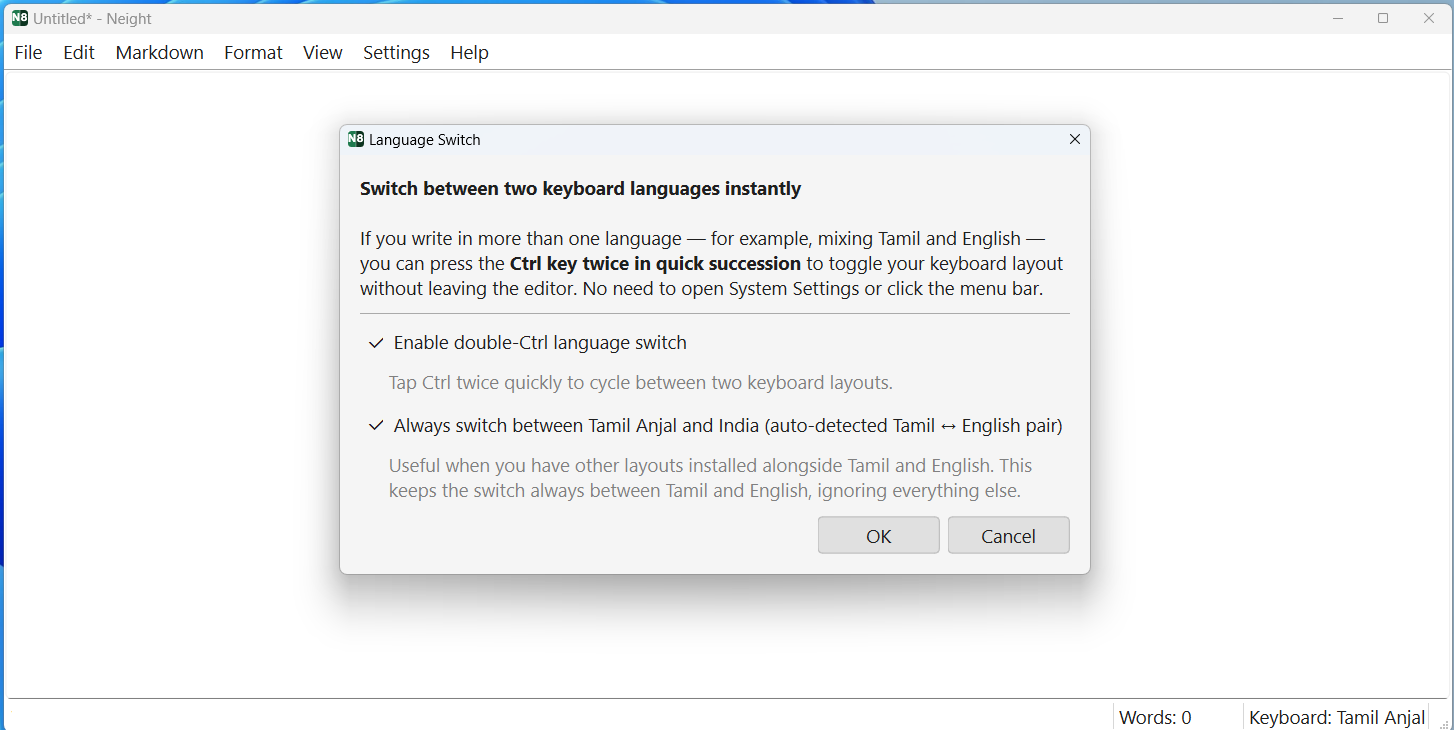
Neight with line numbers and gutter
Keyboard Settings — pick which two layouts the double-Ctrl flip toggles between.Windows
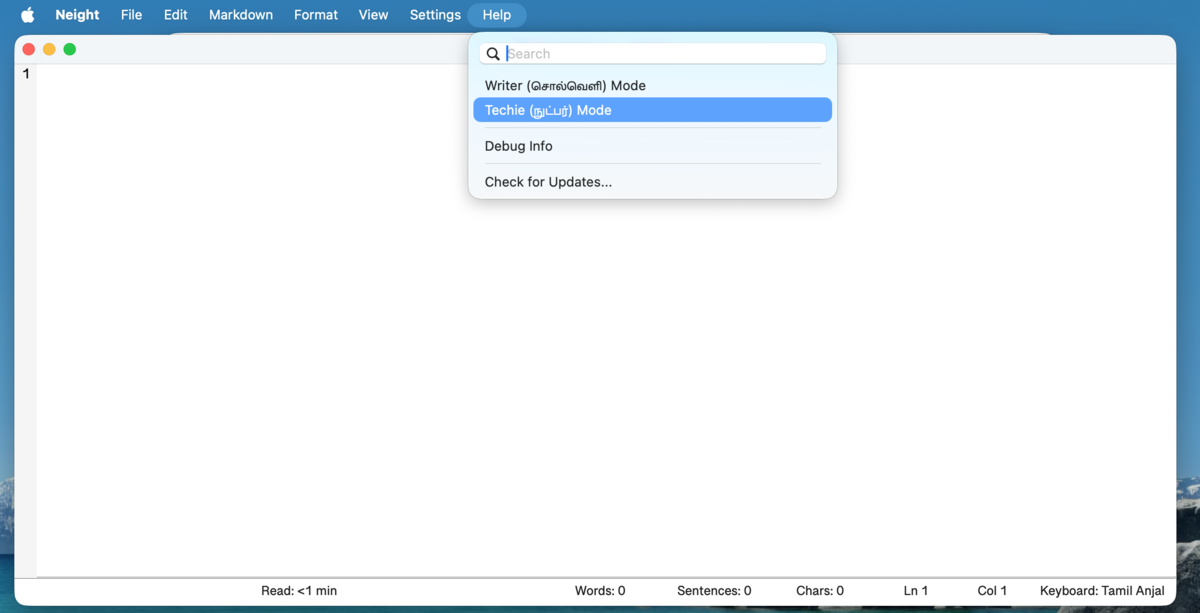
Help menu showing Writer and Techie modes on macOS
One click in the Help menu flips between Writer Mode and Techie Mode.macOS
What it does

Small features. Sharp ones.

Everything you’d expect from a notepad, plus a careful set of writer-first touches. Nothing more.

01

Two writing modes

One click for Writer Mode — large Tamil serif, generous spacing, calm margins. One click for Techie Mode — compact font, gutter line numbers, full status bar.

02

Tamil + English, side by side

Double-press Ctrl (or ⌃ Control on Mac) and the keyboard flips. No System Settings, no menu hunt. Just write.

03

Markdown without the toolbar

Headings, bold, italic, lists, links, tables, code blocks — all under one Markdown menu, all under sensible shortcuts.

Ctrl + 1…6
04

Auto-save & recovery

Auto-saves every 2, 5, 15 or 30 minutes. If you start typing before naming a file, a recovery copy is kept quietly in ~/Documents/Neight/.

05

Smart filenames

Press Ctrl + S on an unsaved draft and the save dialog opens pre-filled with the first few words of your text. Accept it or edit it.

06

Find & replace, properly

Includes escape sequences — \n, \t, hex bytes, Unicode codepoints. Click the button for the cheat sheet.

07

Sorkuvai lookup

Right-click any Tamil word to look it up in the Sorkuvai dictionary. Helpful when a word is on the tip of your tongue.

08

Triple-click to Google

Triple-click any word and your default browser opens a Google search for it. Press Ctrl + E on any selection for the same.

09

Export to PDF

A4 layout, real margins, your chosen font. Headings and tables render properly when exporting from Markdown.

10

Pick up where you left off

Neight reopens your last file at startup, cursor in roughly the right place. Toggle it off if you’d rather always start blank.

11

Quiet status bar

Word count, sentence count, reading time, line/column, keyboard layout. Hide what you don’t want from View → Status Bar.

12

Word index overlay

Number every word in your document — the “butter paper” effect. A translucent sheet for precise editorial annotation.

Ctrl + Shift + W
Why it exists

Built by a writer, for writers.

Neight started because Tamil text wasn’t rendering right in newer Windows Notepad, and the alternatives were either too heavy, too cluttered, or just not suited to quick bilingual writing.

The goal was simple: a small, dependable editor that feels close to Notepad, but works better for the way real writing actually happens — switching languages mid-sentence, drafting in Markdown, exporting a clean PDF, recovering when the laptop dies.

Neight is a personal project, vibe-coded with AI assistance over evenings and weekends. That means a lot of the code was scaffolded in conversation with an AI pair, then read, edited, tested, and shipped by a human. The AI never touches your text — it helped build the app, it doesn’t run inside the app. The app makes zero network calls on its own.

Neight is especially useful if you want a simple editor for short and medium-form writing, better support for Tamil + English workflows, or a Markdown-capable editor without a cluttered toolbar — instead of reaching for a full IDE or a word processor.

FAQ

Quick questions.

The things people ask before downloading.

Will Neight work on Intel Macs?
Not today. The signed macOS build is Apple Silicon only (M1, M2, M3, M4). If you’re on an Intel Mac, the Windows build runs fine under Parallels or similar, or you can build from source — but there isn’t a ready-to-run Intel binary.
Does it work offline?
Yes, always. Neight makes zero network calls on its own. The only time it touches the internet is when you explicitly ask it to — clicking a Markdown link, doing a Google search on a selection, or running Help → Check for Updates. Pull the network cable and it works exactly the same.
Does it support other Indian languages? Hindi, Bengali, Malayalam…
It should. Neight uses standard Unicode input and rendering, and the language-switch shortcut works with any two keyboard layouts you have installed on your system. Only Tamil + English has been tested end-to-end, so other scripts may have quirks — please file an issue if you find one.
Does it auto-update?
No silent auto-updates. On launch, Neight quietly checks GitHub for a newer version in the background. If one is found, a small dot appears on the Help menu — no pop-up, no interruption. You decide when to download the new version.
Where are my files saved?
Wherever you tell it. Neight is a plain text editor — Save opens a normal save dialog and writes the file where you pick. Nothing leaves your machine. The only thing Neight writes on its own is a temporary recovery copy of unsaved drafts to ~/Documents/Neight/, which is cleaned up the moment you save or close.
Can I use Neight for commercial writing?
Absolutely. The MIT license places no restrictions on what you do with anything you write in Neight, or with the app itself. Write your novel, your client deliverables, your paid newsletter — it’s all yours.
Is there a Linux build?
Not as a packaged download today. Neight is written in Python with Qt and runs fine on Linux from source — see DEVELOPER.md for build instructions.
How do I uninstall it?
On macOS, drag Neight.app from Applications to the Trash. On Windows, just delete Neight.exe. There is no installer, no registry, no leftover files. (If you want to be thorough, the only thing Neight writes outside itself is ~/Documents/Neight/ — safe to delete.)
Go deeper

Three more docs if you’re curious.

Nothing here is required reading. Open whichever one fits where you are.

Acknowledgements

Neight wouldn’t exist without these people.

Pa. Raghavan

// the spark

Editor of MadrasPaper.com, an online Tamil magazine. His years-long search for the perfect distraction-free writing app on macOS was the seed that became this project. That level of care for the craft of writing was reason enough to build something.

Muthu Nedumaran

// encouragement & support

Of Murasu.com. Warm thanks for the encouragement and support throughout. Neight stands on a long history of Tamil computing work that the Murasu community has been quietly doing for decades.

And a quiet thank-you to the kind soul who contributed the Apple Developer signature so macOS users can install without friction.